17 Best Squarespace Plugins For eCommerce
Boost sales. Improve UX. Keep customers coming back.
Squarespace makes it easy to launch a clean online store — but when it comes to serious eCommerce features, you’re gonna need a few upgrades.
This list covers the best plugins for turning a basic Squarespace site into a selling machine.
No code. No dev hours. Just plug and play.
1. Sync product images with variants

Make product selection idiot-proof.
If your variant images don’t sync when a customer clicks a color or size, they’ll bounce. This plugin fixes that.
✅ Match images to variant selection
✅ Eliminate confusion and friction
✅ Boost conversion rates
The plugin supports both versions of Squarespace 7.0 and 7.1 and works on all templates except Galapagos and Supply.
The plugin extends the built-in functionality of Product Variant Images:
Works in both directions (when you select an option or click on an image)
Works in Quick View
You can set which option(s) will change images
You can group thumbnails by selected option(s)
Demo:
Want to see the setup process before you buy?
Got any questions?
Check out FAQ and reviews below.
*Note the default spelling is Color but can be changed to Colour

Shopify-style swatches. On Squarespace.
Let customers see what they’re choosing — colors, textures, patterns. Works great with the variant image sync.
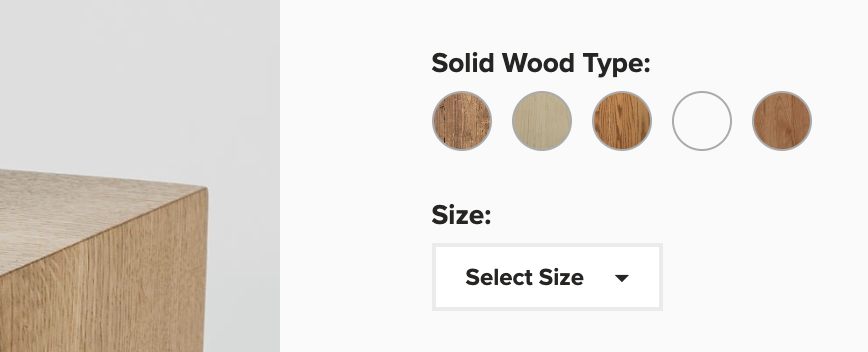
The plugin supports both versions of Squarespace 7.0 and 7.1
Optimize your product variant displays on Squarespace with visual swatches, allowing customers to see color, size, and pattern options at a glance.
Features:
Replace traditional text dropdowns with interactive swatches.
Easily assign hex codes for colors, or use images to represent patterns and variations
Personalize the appearance of your swatches to maintain consistency with your brand
Benefit from continuous free email support
Want to see the setup process before you buy?
Got any questions?
Check out the FAQ and reviews below.
Looking for something special?
Check out these code snippets.

Drive urgency with real-time inventory indicators.
“Only 3 left in stock” triggers way more checkouts than silence.
The plugin supports both versions of Squarespace 7.0 and 7.1
The plugin displays the quantity left in stock for a selected variant. By default, the plugin is enabled on Product Page, but you can enable it on Products Page, in Product Block and in Product Quick View.
Features:
Ability to set a threshold after which the indicator will be visible
Ability to change a default template
Ability to change color and font size
Want to see the setup process before you buy?
Got any questions?
Check out the FAQ and reviews below.
Looking for something special?
Check out these code snippets.

Nobody wants to leave the page to check sizing. This plugin pops your size chart (or any extra info) in a slick lightbox.
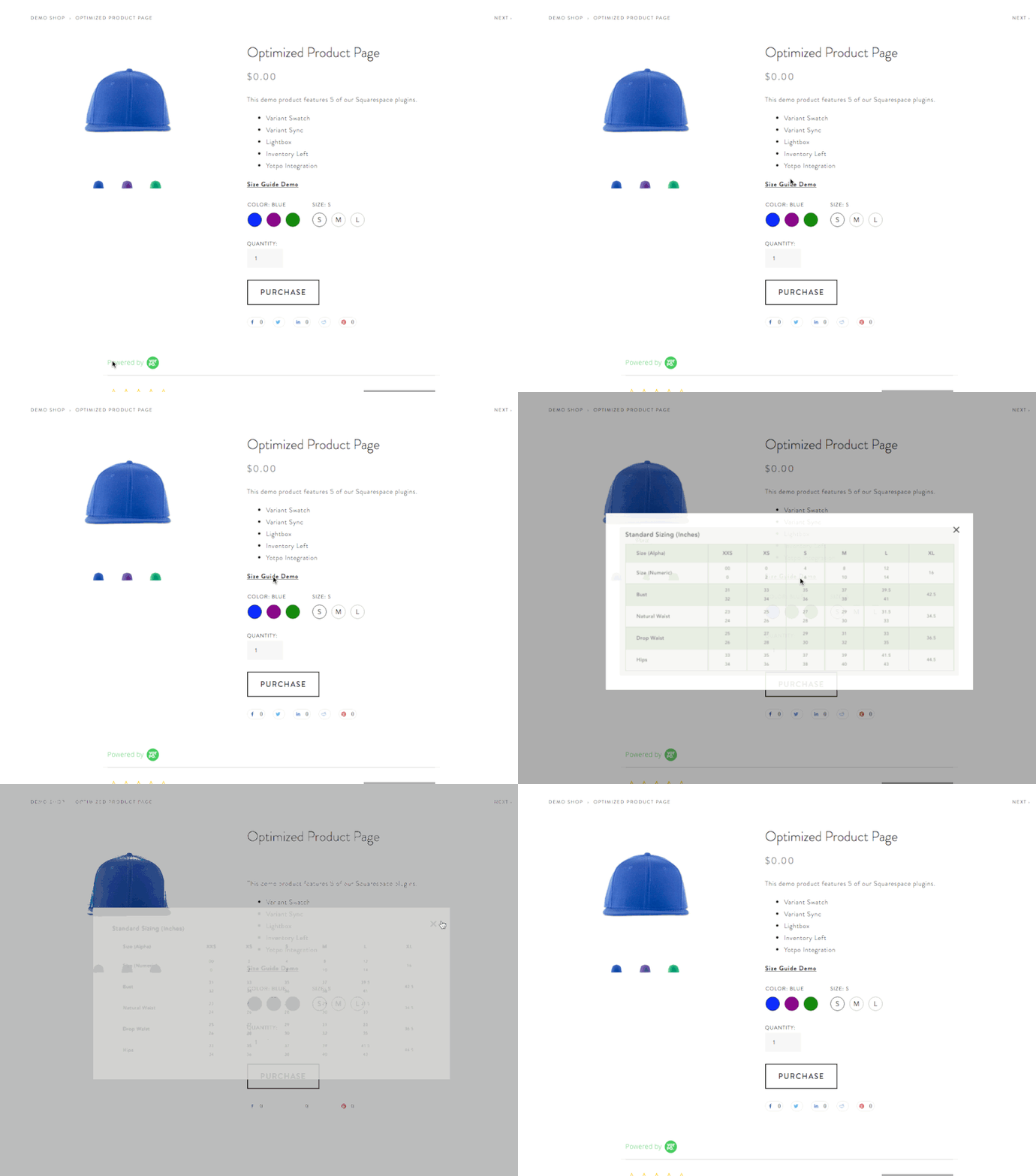
✅ Squarespace 7.0 and 7.1 compatible • ✅ All templates supported • ✅ Mobile responsive
⚠️ Requires Squarespace Business Plan or higher for full functionality.
💡 Personal Plan users can use the alternative markdown method. See FAQ below.
Add a Lightbox Popup to Squarespace
Lightbox Anything lets you open custom content in a popup from buttons, images, text links, galleries, and more.
Use it for forms, videos, team bios, product details, portfolios, promos, gated content, upsells, galleries, and custom page sections — without sending visitors to another page.
Want to see the setup process first?

Upsell without lifting a finger.
Automatically show similar or related items using product tags.

The plugin supports both versions of Squarespace 7.0 and 7.1
The plugin will automatically add a summary block if it finds related posts based on categories and tags of the current post. All options of Summary Block will be available for customization. The current post will be hidden.
Features:
Autoplay for the carousel design
Ability to show items in a random order
Ability to set the number of related posts to display
Ability to filter only by categories or tags
Current post is hidden
Want to see the setup process before you buy?
Click to Watch Setup Video (7.0 version)
Click to Watch Setup Video (7.1 version)
Got any questions?
Check out the FAQ and reviews below.
Looking for something special?
Check out these code snippets.

Social proof sells. This plugin integrates Wiremo review widgets across your product pages.
✅ Free to use
✅ Fully styled for Squarespace
✅ SEO-boosting content
7. FOMO Sales Notifications
Add “X just purchased” popups to create real-time buyer energy. Works great for digital or physical products.
8. Squarespace Custom Cart Drawer
Upgrade the native Squarespace cart with a slide-out drawer. Cleaner, faster, more Shopify-like.
9. Custom Order Confirmation
Make the thank-you page do more than just say “thanks.”
Add upsells, next steps, or brand messaging to your post-checkout experience.
10. Lightbox Upsell Add-on
Trigger a product offer when someone adds to cart or hits checkout.
11. Referral Candy
Turn happy customers into a marketing channel. Squarespace-friendly referral system.
12. Mega Menu Plugin
Got lots of categories or collections? Make them easy to navigate with a flyout mega menu.
13. SEOSpace SEO Plugin
Yes, there’s finally a real SEO plugin for Squarespace.
14. Universal Filter Plugin
Let users filter by price, size, color, tag — all without needing a developer.
15. All-in-one Chat from Elfsight
Elfsight’s widget supports WhatsApp, Messenger, and more — so you never miss a lead.
16. Countdown Timer
Run limited-time offers, flash sales, or product launches with a simple embeddable timer.
17. Litcommerce for multichannel selling
List your Squarespace products on Amazon, Etsy, Walmart, and more.